LTO E-Driver’s License 2026: How to Get and Use Your Digital License
An LTO e-driver’s license is the official digital version of your Philippine driver’s license, shown live from the Land Transportation Management System (LTMS) portal or the eGovPH app. It carries the same details as your plastic card, and enforcers must accept it when displayed properly.
What an LTO e-driver’s license is
The electronic driver’s license, often shortened to eDL, is a real-time digital copy of your license generated directly from the LTMS database — not a scanned image, a photo of your card, or a file you keep on your phone. Every time you open it, the portal or app pulls your current record from the LTO.
It shows the same information as the physical card, plus a QR code an enforcer can scan to check the record. The system launched in 2023 under Department of Transportation (DOTr) Department Order No. 2023-015, dated 26 June 2023, implemented by the LTO through Memorandum Circular No. HAV-2023-2410; eGovPH access followed under Memorandum Circular No. GGP-2025-4530.
| Feature | Digital license (eDL) | Physical card |
|---|---|---|
| Where it lives | LTMS portal or eGovPH app, shown live | In your wallet |
| Needs internet to display | Yes | No |
| Accepted at traffic stops | Yes, when shown live | Yes |
| Accepted as a bank or rental ID | Usually not | Yes |
Is the LTO e-driver’s license valid in 2026?
Yes. The LTO has confirmed that the digital license shown live through the LTMS portal or the eGovPH app is valid and legally recognized for traffic enforcement nationwide. LTO officers and all deputized agents — PNP, MMDA, and local government enforcers — are directed to accept a properly displayed digital license.
The legal basis is Republic Act No. 4136, the Land Transportation and Traffic Code, which requires drivers to carry a valid license and present it on demand. The 2023 department order and the LTO circulars state that the electronic license is a valid, secure, alternative authorization to operate a motor vehicle, with the same legal effect as the physical card for enforcement.
One qualification: the digital license has the same legal effect as the card, but it does not replace or supersede the physical card. The plastic card remains the primary official document, so use the digital license as a backup and keep the card with you whenever you can.
In January 2026, the DOTr and the LTO publicly reiterated this rule, and DOTr Secretary Giovanni Lopez confirmed that showing the digital license through the LTMS portal is allowed without your physical card.
What you need before you open it
The digital license is only available to people who already hold a valid Philippine driver’s license — it is generated from your existing record, so there is nothing to apply for separately. First-time applicants must still visit an LTO office in person to complete the training, examinations, and certifications first.
Before you try to open it, make sure of the following:
- You have an active LTMS account using the same email and mobile number tied to your LTO record.
- Your license is valid — an expired license has no valid digital version.
- Your license record is linked to your LTMS account — check the license number matches the one on your card.
- Your phone has a stable internet connection — the license must be displayed live, so a weak signal is the most common reason it fails to load at the roadside.
If you do not have an LTMS account yet, create one first — our LTMS portal guide walks through registration and linking your license. The digital license then appears automatically; there is no separate enrolment step.

How to view it on the LTMS portal
The LTMS portal is the main way to view your digital license, and it works on a phone browser or a desktop. Follow these steps:
- Go to the LTMS Portal and log in with your registered email address and password.
- From the main dashboard, tap the “Digital ID” button.
- Your LTO e-driver’s license appears on the screen, showing your photo, license details, validity dates, and QR code.
- Keep the page open. Do not take a screenshot — the license must be shown live from the portal itself.
If the “Digital ID” button does not appear, log out and log back in, then check that your license is linked to the account. A license that was recently issued or renewed can take time to appear, so check the troubleshooting section below if it is still missing.
How to view it on the eGovPH app
The eGovPH app is the government’s one-stop mobile platform, and it carries the same digital license as a Digital ID.
- Download the official eGovPH app from the Google Play Store or the Apple App Store.
- Create an account and complete identity verification, including a selfie and a valid government ID upload.
- From the home screen, tap the NGAs icon, find the Land Transportation Office, and choose “Online Driver’s License Application.”
- Upload an ID photo and a copy of your current driver’s license, front and back — it must not be expired.
- Complete the fields, sign with your digital signature, and submit.
- Wait for approval — commonly reported within 24 to 48 hours, although some guides report up to about 7 business days, so check the status in the app.
- Once approved, open the “Digital ID” section at the bottom of the dashboard — your digital license appears there alongside your other government IDs.
Setup takes longer than the LTMS portal because of verification and approval, but once done, the license is one tap away. If it shows in LTMS but not in eGovPH, log out of the app and log back in to refresh the link.
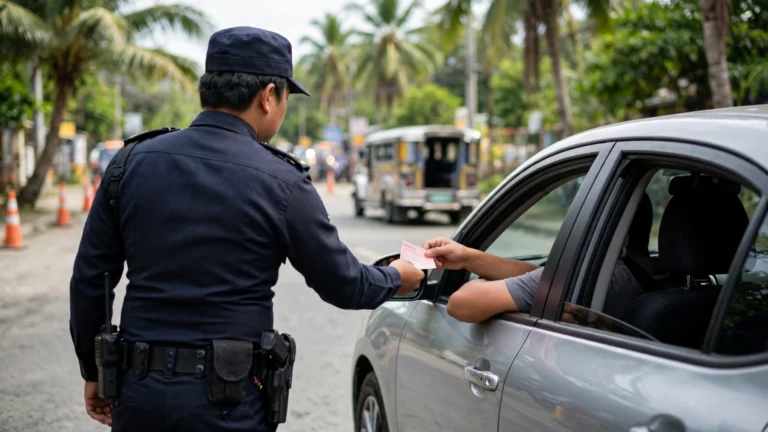
How to show it at a traffic stop
An enforcer can only verify what is shown live from the official platform, so present it in this order:
- Stay calm and pull over safely.
- Greet the officer politely and say you have your digital license ready on your phone.
- Open the live license and hold the phone so the officer can see the screen clearly.
- Let the officer scan the QR code if one appears, so they can verify your record directly in the LTO system.
- Answer any questions about your license status or your vehicle.
- If the officer asks for the physical card and you do not have it, politely explain you are presenting the official digital version under LTO guidelines.
If you are apprehended, the officer will issue a Temporary Operator’s Permit (TOP) or an Electronic Temporary Operator’s Permit (eTOP), valid for 72 hours. The digital license simply proves you are licensed while the TOP covers the days after.
If an enforcer refuses a properly displayed live digital license, note the officer’s name or badge number and the location, and follow up with the LTO — refusal without a valid reason goes against the official circulars.
Screenshots, printouts, and photos do not work
This is the rule most drivers get wrong. Only the official digital license, opened live from your LTMS account or the eGovPH app, is a valid substitute for the physical card. LTO enforcers and deputized agents do not accept: a screenshot of your digital license, a saved photo or scan of your card, a printed or photocopied license, or another digital government ID in place of your license.
The reason is verification: a screenshot cannot be checked against the LTO system in real time, so an officer cannot confirm it is current, genuine, or still valid. A driver who fails to present a valid license — physical or digital, shown live — can be treated as driving without a license.
A screenshot saved “just in case” is not a backup. The real backup is the physical card in your wallet, or a charged phone with mobile data and a working LTMS login.
Where it works — and where you still need the card
The digital license is officially recognized for on-road traffic enforcement. Outside that setting, the physical card is still the document most offices expect.
| Situation | Digital license accepted? |
|---|---|
| Traffic stop or roadside inspection | Yes — show it live from the portal or app |
| Checkpoint (traffic enforcement) | Yes — LTO and deputized agents must accept it |
| Apprehension for a traffic violation | Yes — present it live; a TOP or eTOP is then issued |
| LTO office transaction or registration renewal | Varies by branch — many still ask for the physical card |
| Car rental, bank, or insurance | Usually not — the physical card is still the standard ID |
| International travel or border checks | No — foreign authorities expect the physical license or an International Driving Permit |
If you are unsure about a specific transaction, call first and ask whether the digital license is accepted.
Your physical card also matters while your license is still waiting to be printed. If your card is delayed, our guide to the LTO driver’s license card release explains how release works — and in the meantime, the digital license is the version you can actually show.
What to do if the portal shows no digital license
A missing digital license is usually a record or linking problem. Work through these checks in order:
| Problem | What to try first |
|---|---|
| “Digital ID” button is missing | Log out and log back in; confirm your license is linked to the account |
| License details look wrong | Update your profile in the portal, or visit an LTO office for a record correction |
| License shows in LTMS but not in eGovPH | Log out of the eGovPH app and log back in to refresh the link |
| eGovPH approval still pending | Check the app status; approval is commonly reported within 24 to 48 hours, sometimes up to 7 business days |
If none of these fix it, visit an LTO office with your physical license and a valid ID and ask staff to check your record — do not rely on a digital license that shows wrong details. You can also check your record with our guide to LTO driver’s license verification.
What happens if your license is suspended or expired
Because the digital license is generated live from the LTO database, it always reflects your current status.
If your license is suspended, revoked, or has an unsettled violation or alarm, the live digital license shows that status — and an unsettled violation or alarm can have the LTMS account suspended. A suspended license does not authorize you to drive, and showing your LTO e-driver’s license at a checkpoint will not help, because the officer sees the same status you do.
If your license has expired, there is no valid digital license to show — the digital version carries the exact validity dates of your physical license and updates automatically when you renew. Renew first, then the digital version updates. Our guide to LTO driver’s license renewal requirements lists the documents, medical exam, and renewal steps, including the online renewal through the LTMS portal.
Common mistakes to avoid
- Relying on a screenshot. A screenshot of your digital license is not accepted, no matter how clear it is. Always open it live from the portal or the app.
- Leaving the physical card at home on a long trip. Rural areas and heavy rain can kill your signal, and a dead battery ends the conversation.
- Assuming the digital license works everywhere. Banks, car rental companies, and some LTO office transactions still want the physical card. Confirm first.
- Ignoring a mismatch in your details. If the name, photo, or validity dates on the digital license do not match your card, get the record corrected before you rely on it.
- Using a fake or third-party “digital license” app. Only the LTMS portal and the eGovPH app are official. Any other app or website offering a digital license is not recognized.
Frequently asked questions
Is the LTO e-driver’s license valid at checkpoints?
Yes. An LTO e-driver’s license shown live through the LTMS portal or the eGovPH app is valid at checkpoints and roadside inspections, and enforcers nationwide are directed to accept it. It must be opened live — a screenshot or a printed copy is not accepted.
Can I show a screenshot or a printed copy of my digital license?
No. Screenshots, saved photos, printed copies, and photocopies cannot be verified against the LTO system in real time, so enforcers do not recognize them. Open the license live from the portal or the app.
Do I still need to carry my physical driver’s license card?
Yes, it is strongly recommended. The physical card remains the primary official document, works without internet or battery, and is still required by banks, car rental companies, and many LTO office transactions. Treat the digital license as a backup, not a full replacement.
What should I do if the portal shows no digital license?
Confirm your license is valid and linked to your LTMS account, then log out and log back in. If it still does not appear, use the troubleshooting table above; if the problem continues, visit an LTO office with your physical license and a valid ID so staff can check your record.
Does the digital license expire on a different date from my card?
No. The digital license carries the exact validity dates of your physical license and updates automatically when you renew — if your card expires, the digital version expires with it.
Is there a fee to use the digital license?
No. Viewing your digital license through the LTMS portal or the eGovPH app is free for license holders with an active account — there is no separate charge for the digital version.
The LTO e-driver’s license is a practical safety net for every Filipino driver: free, always in your pocket through your phone, and legally recognized at traffic stops and checkpoints nationwide. Set it up before you need it — link your license to your LTMS account, test the Digital ID view, and keep your physical card as backup. That combination covers almost every situation you are likely to meet on Philippine roads.