LTO OR CR Guide 2026: How to Read Your Official Receipt and Certificate of Registration
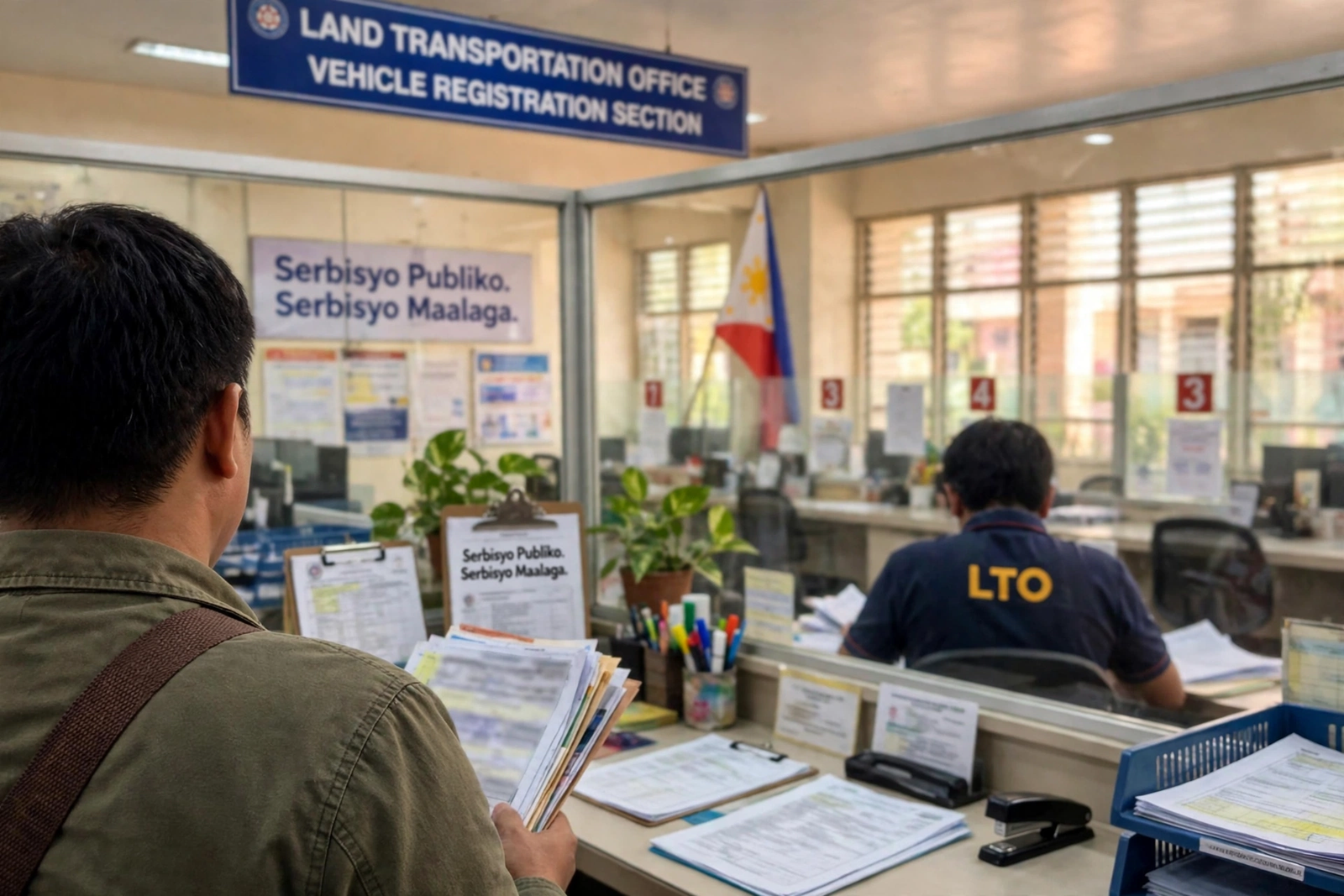
Your LTO OR CR is the pair of documents that proves your vehicle is legally registered in the Philippines. Every time you drive, renew your registration, or sell your vehicle, these two papers are what the LTO, a traffic enforcer, or a buyer will ask to see. Yet many owners file them away without reading them — and that is how a wrong engine number, a misspelled name, or an unnoticed “encumbered” note turns into a problem at the worst possible moment.
This guide shows you how to read your LTO OR CR field by field, so you can spot a mismatch before it costs you a fine, a failed renewal, or a lost sale. The same checks apply whether you drive a car, a motorcycle, or a truck, and whether you registered it yourself or bought it secondhand.
What the LTO OR CR Is: Two Documents, Two Jobs
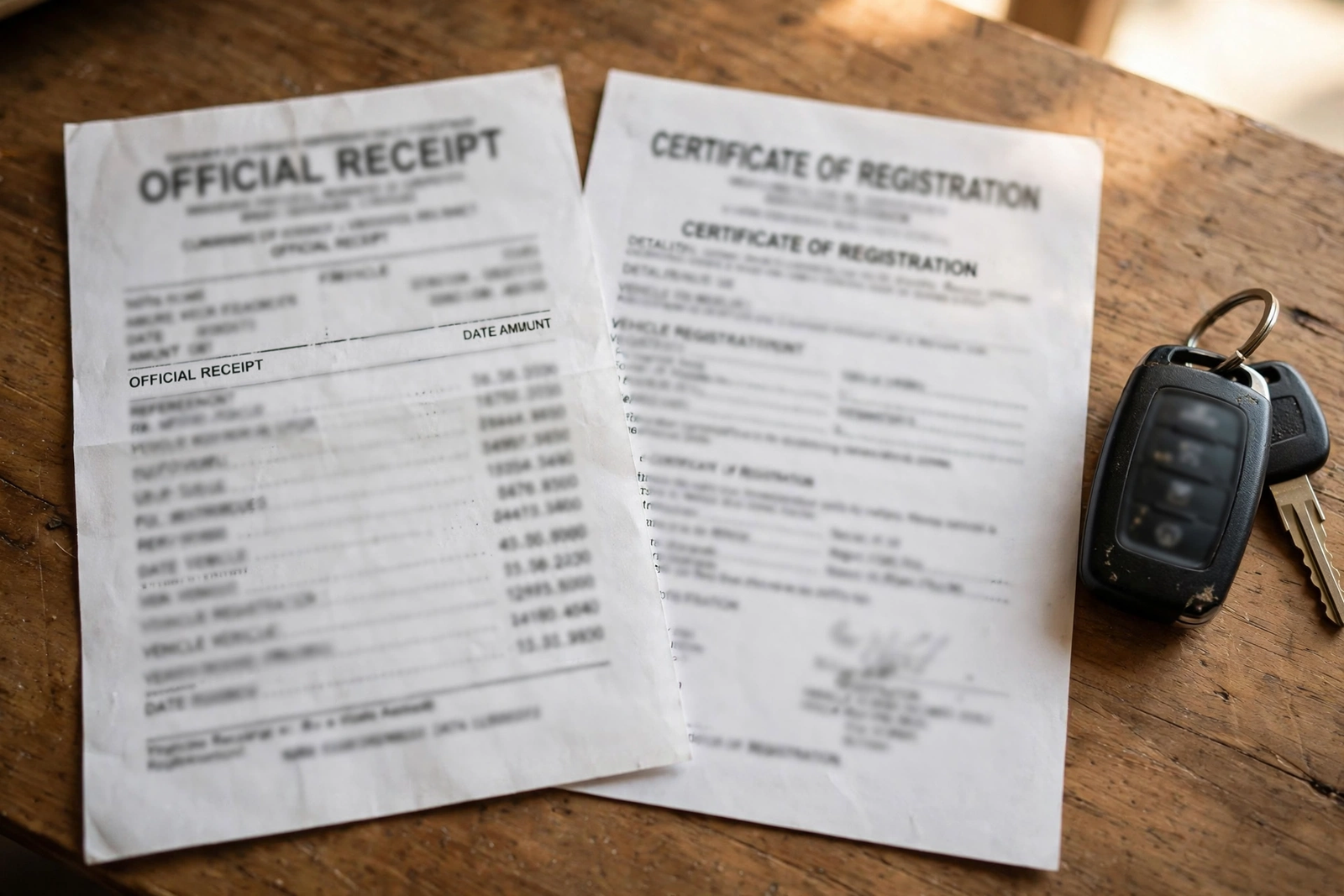
OR CR stands for Official Receipt and Certificate of Registration. They are two separate documents, and both are issued when a vehicle is registered. The CR proves the vehicle is registered and who owns it. The OR proves the registration fees for that period were paid.
- OR — Official Receipt. The OR is the receipt for the money you paid to register the vehicle. It shows the fees you paid, the date you paid them, and the period the payment covers. You get a fresh OR every time you pay for a registration transaction, including a renewal.
- CR — Certificate of Registration. The CR is the certificate that proves the vehicle is registered with the LTO. It lists the vehicle’s identity — plate number, engine number, chassis number, make, model, year, and body type — plus the owner’s name and address. It is issued once, and it stays valid until the vehicle’s details change.
Think of it this way: the CR says which vehicle is registered and whose it is, while the OR says that the fees for this period have been paid. You need both. The CR without a current OR is an unregistered vehicle. An OR without a CR is a payment receipt with no vehicle attached to it.
| Official Receipt (OR) | Certificate of Registration (CR) | |
|---|---|---|
| What it proves | Payment of registration fees | Registration and ownership |
| Background color | Sky blue LTO logo | Yellow LTO logo |
| Reissued | At every paid transaction | Only on sale, engine change, or correction |
| Key details | Fees paid, date, validity period | MV file number, engine/chassis numbers, owner |
Why You Need Both Parts of Your LTO OR CR
You need the OR and the CR together because they answer different questions. If a traffic enforcer stops you, the CR shows the vehicle is registered to you, and the OR shows the registration is current. If you sell the vehicle, the buyer wants the CR to confirm ownership and the OR to confirm the fees are paid. If you renew your registration, the LTO asks for the OR to confirm the last payment and the CR to confirm the vehicle details have not changed.
- Proof of ownership. The CR lists the registered owner’s name. If your name is not on the CR, you are not the registered owner, and the LTO will not process a transfer or a renewal in your name.
- Proof of registration. The CR and the latest OR together prove the vehicle is registered and the fees for the current period have been paid. The CR alone does not prove the registration is current.
- Needed for renewal. The LTO asks for the OR and the CR at every renewal. If you have lost one of them, you need a replacement before you can renew.
- Needed for a sale or transfer. A buyer will ask for the original OR and CR before paying, and the LTO will not transfer the registration without them.
- Needed for a loan or insurance claim. Banks and insurers ask for the OR and CR to verify the vehicle’s identity and ownership before they release a loan or settle a claim.
If you have lost your OR or CR, read our guide to a duplicate OR CR to see how to get a replacement. The replacement process is separate from renewal, and it takes time, so start it early. The steps below show you how to read the documents you already have.
How to Read Your LTO OR CR Certificate of Registration, Field by Field
The Certificate of Registration is the document that identifies your vehicle. Every field on it matters, because the LTO uses it to check the vehicle against its own records. The table below explains each field and what to check.
| Field on the CR | What it means | What to check |
|---|---|---|
| MV file number | The LTO’s internal file number for your vehicle’s registration record. | It should match the MV file number on the OR and in the LTO’s system. |
| Plate number | The plate number assigned to the vehicle. | It should match the plates on the vehicle. If the plates have not been issued yet, the field may be blank or show a temporary plate number. |
| Engine number | The number stamped on the engine block. | It should match the engine number on the vehicle. Do not accept a CR with an engine number that does not match the engine. |
| Chassis number (frame number / VIN) | The number stamped on the vehicle’s chassis or frame. | It should match the chassis number on the vehicle. For motorcycles, it is the frame number. |
| Make | The brand of the vehicle, such as Toyota, Honda, or Yamaha. | It should match the brand on the vehicle. |
| Series | The model name or series, such as Vios, Click, or NMAX. | It should match the model on the vehicle. |
| Year model | The year the vehicle was manufactured. | It should match the year on the vehicle’s compliance label. |
| Body type | The shape of the vehicle, such as sedan, SUV, or motorcycle. | It should match the vehicle’s body. A sedan listed as a hatchback is a red flag. |
| Color | The color of the vehicle as registered. | It should match the vehicle’s color. If the vehicle was repainted, the CR should have been updated. |
| Fuel type | The fuel the vehicle uses, such as gasoline, diesel, or electric. | It should match the vehicle’s fuel type. |
| Number of cylinders | The number of cylinders in the engine. | It should match the engine. For electric vehicles, this field may be blank. |
| Piston displacement | The engine size in cubic centimeters (cc). | It should match the engine size. A mismatch can affect the MVUC fee. |
| Gross / net / shipping weight | The vehicle’s weight in kilograms. | It should match the weight on the vehicle’s compliance label. A mismatch can affect the MVUC fee. |
| Denomination / classification | The vehicle’s classification, such as private, for hire, or government. | It should match the vehicle’s use. A private vehicle used for hire is a violation. |
| Registered owner | The name of the person or company that owns the vehicle. | Spelling must be exact — including middle name and suffixes. A misspelled name can delay a transfer. |
| Owner’s address | The registered owner’s address. | It should be current. The LTO uses it to send notices and to verify the owner’s identity. |
| Encumbrance / lien | A note that the vehicle is financed or under a loan. | If the vehicle is fully paid, this field should be blank. If it says “encumbered”, the loan has not been released. |
| OR number and OR date | The number and date of the OR that paid for this registration. | They should match the OR you hold. If they do not match, one of the documents is wrong. |
| Date of registration | The date the vehicle was first registered. | It should match the date on the OR. A mismatch means one of the documents was issued in error. |
A note on temporary CRs: if your vehicle was registered recently, the LTO may issue a temporary CR while the permanent one is being printed. The temporary CR is valid, but it should be replaced with a permanent one within 30 days. If your temporary CR is older than 30 days, follow up with the LTO office that issued it.
How to Read Your LTO OR CR Official Receipt, Line by Line
The Official Receipt is the record of what you paid. Every line on it is a separate fee, and the total at the bottom is the sum of those lines. The table below explains each line and what to check.
| Line on the OR | What it is | What to check |
|---|---|---|
| OR number | The receipt number for this payment. | It should match the OR number on the CR. Keep the OR number for your records. |
| Date of payment | The date you paid the fees. | It should be the date of the transaction. A future date is a red flag. |
| Received from / registered owner | The name of the person who paid. | It should be the registered owner’s name, or the name of the person who paid on their behalf. |
| Address | The address of the person who paid. | It should match the registered owner’s address on the CR. |
| Plate number or temporary plate number | The plate number assigned to the vehicle, or the temporary plate number if plates have not been issued. | It should match the plate number on the CR. If the plates have not been issued, it should match the temporary plate number. |
| Vehicle details | The make, model, year, and body type of the vehicle. | They should match the CR. A mismatch means the OR was issued for a different vehicle. |
| Transaction type | The type of transaction, such as new registration, renewal, or transfer. | It should match the transaction you paid for. A renewal OR for a new registration is a red flag. |
| MVUC (Motor Vehicle User’s Charge) | The main registration fee, based on the vehicle’s type, weight, and age. | It should be within the range for your vehicle type. For a private car, it is usually around ₱1,600. |
| Registration fee | The fee for registering the vehicle. | It is usually a small fixed amount, and it should be the same for the same vehicle type. |
| Computer fee | The fee for the LTO’s computer system. | It is a fixed amount, usually ₱50, and it should be the same for every transaction. |
| Sticker fee | The fee for the registration sticker. | It is a fixed amount, usually ₱50, and it should be the same for every transaction. |
| Plate fee | The fee for the license plates. | It is charged only when plates are issued. If you are renewing and the plates are already issued, this fee should not appear. |
| Emission test / PMVIC fee | The fee for the emission test or the Private Motor Vehicle Inspection Center (PMVIC) test. | It is charged only if the test was done at the LTO. If you paid the test fee elsewhere, it should not appear on the OR. |
| CTPL insurance fee | The fee for compulsory third-party liability (CTPL) insurance. | It is a separate fee, and it should match the CTPL policy you bought. If you bought CTPL elsewhere, it should not appear on the OR. |
| Legal research fee | A small fee for the LTO’s legal research. | It is a fixed amount, and it should be the same for every transaction. |
| Other charges / penalties | Any penalties or surcharges, such as a late renewal penalty. | They should be itemized. If the OR shows a penalty you do not recognize, ask the LTO for an explanation. |
| Total amount paid | The sum of all the fees on the OR. | Add the lines yourself — the total should equal the sum of the items above it. |
| Validity period | The period the payment covers, usually one year from the registration date. | It should be one year. If it is shorter, ask the LTO why. |
| Cashier’s signature / QR code | The signature of the cashier who took your payment, and a QR code for verification. | It should be present. A missing signature or QR code is a red flag. |
Because fee figures differ by vehicle type and year, use the table above to spot a line that does not belong, rather than as a price list. For the official LTO charges, see our LTO fees schedule 2026.
How to Check Your LTO OR CR Against Your Vehicle
Before you file your OR CR away, spend five minutes checking it against the vehicle itself. The checks below catch the most common errors, and they are easier to fix at the LTO office than at a checkpoint.
- Check the plate number. The plate number on the CR and OR must match the plates bolted to the vehicle. Check both the front and rear plates.
- Check the engine number. Open the hood and find the engine number stamped on the engine block. It should match the engine number on the CR exactly, including any letters.
- Check the chassis number. Find the chassis number stamped on the vehicle’s frame or chassis. It should match the chassis number on the CR exactly.
- Check the owner’s name. The name on the CR must be spelled exactly as it appears on the owner’s government ID, including middle name and suffixes. A misspelled name can delay a transfer or a renewal.
- Check the MV file number. The MV file number on the CR and the OR must match. If they do not match, one of the documents was issued for a different vehicle.
- Check the OR date and validity period. The OR date should be the date you paid, and the validity period should be one year from the registration date. If the OR is expired, the vehicle is unregistered.
- Check the encumbrance field. If the vehicle is fully paid, the encumbrance field should be blank. If it says “encumbered”, the loan has not been released, and you cannot transfer the vehicle until it is.
- Check the OR number and the CR’s OR reference. The OR number on the OR must match the OR number on the CR. If they do not match, ask the LTO to correct one of the documents. If you are unsure about any detail, check the LTMS Portal to confirm the vehicle’s registration status online.
What to Do If a Detail on Your LTO OR CR Is Wrong
If you find a mismatch, do not ignore it. The longer a wrong detail stays on the record, the harder it is to fix, and the more it can cost you at renewal or at a sale. The fix depends on what is wrong:
Clerical or typographical errors. A misspelled name, a wrong address, or a wrong color can usually be corrected at the LTO office with a letter request and a supporting document, such as a birth certificate. The LTO will issue a corrected CR, and the OR will be updated at the next renewal.
Substantial errors. A wrong engine number, chassis number, or MV file number is a bigger problem. The LTO will need to verify the vehicle’s identity, and you may need to bring the vehicle to the LTO office for inspection. Do not attempt to “fix” a stamped number yourself — that can create a criminal problem.
Wrong registered owner. If the CR shows the wrong owner, you need to transfer the registration to the correct owner. The transfer process is separate from a correction, and it requires the original OR and CR, a deed of sale, and the IDs of both parties. Read our guide to a change of vehicle ownership for the full list of requirements.
Encumbrance not cancelled. If the vehicle is fully paid but the CR still says “encumbered”, ask the bank or financing company for a release of mortgage or a certificate of full payment, then bring it to the LTO to have the encumbrance cancelled. The LTO will issue a new CR without the encumbrance note.
General tips. Bring originals, not just photocopies; keep a copy of everything you submit; ask for the name of the receiving officer and a reference number; and allow time — processing commonly takes days to weeks. If the LTO office cannot fix the error, ask for a written explanation and escalate to the LTO’s district office.
Your LTO OR CR in Everyday Situations
At a checkpoint. Present the OR and CR when asked. The enforcer will check the plate number, the owner’s name, and the OR’s validity period. If the OR is expired, the vehicle is considered unregistered, and you may be fined.
At renewal. Bring the OR and CR, plus your emission test result and CTPL insurance. If your OR is lost, you need a duplicate before you can renew. For the steps, see our guide to a car registration renewal.
When selling. Give the buyer the original OR and CR, and sign the deed of sale. The buyer will need both documents to transfer the registration to their name. Do not give the buyer a photocopy — the LTO needs the original.
When the vehicle is financed. The bank usually holds the original CR until the loan is fully paid. You will have a photocopy of the CR and the original OR. That is normal, but confirm the encumbrance field shows the bank’s name.
OR/CR vs conduction sticker. The conduction sticker is a temporary identifier for a brand-new vehicle, and it is not a substitute for the OR CR. The conduction sticker is used until the plates are issued, but the OR CR is the legal proof of registration. Do not drive with only a conduction sticker and no OR CR.
Keeping and Storing Your LTO OR CR
- Originals at home, copies in the vehicle. Store the original OR and CR at home in a safe place, and keep a clear photocopy in the vehicle. A photocopy is enough for most checkpoints, but the LTO needs the original for a transfer or a renewal.
- Digital copies. Take a clear photo of the OR and CR, and store it on your phone and in a cloud drive. If the originals are lost, the photos help the LTO find your records.
- Do not laminate the CR. The CR has security features that can be damaged by lamination. Keep it in a clear plastic sleeve instead.
- Keep old ORs. Keep the previous year’s OR as well, so you can show the vehicle’s registration history if the LTO asks for it.
- Check the documents every year. Read the OR and CR at every renewal, and check the plate, engine, and chassis numbers against the vehicle. A mismatch caught early is easier to fix.
Frequently Asked Questions About the LTO OR CR
What is the difference between the OR and the CR?
The OR is the receipt for the registration fees you paid, and it is issued fresh at every paid transaction. The CR is the certificate that proves the vehicle is registered and who owns it, and it is issued once and stays valid until the vehicle’s details change.
How do I get a copy of my OR CR if I lost it?
Go to the LTO office where the vehicle is registered and request a duplicate OR or CR. Bring a valid ID, an affidavit of loss, and the vehicle’s details. The LTO will issue a duplicate, and the fee is usually small.
Can I drive without the OR CR?
No. The OR and CR are the proof that your vehicle is registered. If you are stopped without them, the enforcer may impound the vehicle or fine you. Keep a photocopy in the vehicle and the originals at home.
Does the CR alone prove my registration is current?
No. The CR proves the vehicle is registered and who owns it, but only the latest OR proves the fees for the current period have been paid. That is why enforcers and buyers ask for both documents together.
What if the engine number on my CR does not match the vehicle?
Do not drive the vehicle until the CR is corrected. A mismatched engine number can mean the CR was issued for a different vehicle, or the engine was replaced without updating the CR. Bring the vehicle to the LTO office for inspection and correction.
What does ‘encumbered’ mean on the CR?
It means the vehicle is under a loan or financing agreement, and the bank or financing company has a claim on it. The encumbrance is cancelled when the loan is fully paid and the bank issues a release of mortgage. Until then, you cannot transfer the vehicle to another owner.
Is the OR CR the same as the conduction sticker?
No. The conduction sticker is a temporary identifier for a brand-new vehicle, and it is not a substitute for the OR CR. The OR CR is the legal proof of registration, while the conduction sticker is used until the plates are issued.
Final Thoughts
Your LTO OR CR is more than paperwork to file away — it is the legal identity of your vehicle. Read it once, carefully, the day you receive it: check the plate, engine, and chassis numbers against the vehicle itself, confirm the owner’s name is spelled correctly, and look at the encumbrance field. The five minutes you spend checking will save you hours of queuing at the LTO office later.