LTO Driver’s License Verification: How to Check If a License Is Valid and Genuine

LTO driver’s license verification is how you confirm that a Philippine driver’s license is real, valid, and still in good standing with the Land Transportation Office. You may need it before a renewal, when hiring a driver, when renting a car, or at a checkpoint. A convincing-looking card is not enough — the real test is whether the license exists in the LTO system and matches the holder.
What LTO driver’s license verification shows
A verification check answers a simple question: does this license exist in the LTO’s records, and is it still valid? Through the official portal you can see the license number, type, driver’s license codes, conditions, and expiry date. You can also see anything that would stop the holder driving legally: violations, unsettled fines, demerit points, and alarms. A license can be within its printed validity period and still be a problem if it carries an alarm — so check the record, not just the expiry date.
| What you can check | Where it shows up | Why it matters |
|---|---|---|
| Validity and expiry date | LTMS portal, digital ID, card | An expired license is not valid for driving |
| License codes and conditions | LTMS portal, card | Which vehicles the holder may drive |
| Violations and apprehensions | LTMS portal | Unsettled cases can block renewal |
| Demerit points | LTMS portal | Points affect 5-year vs 10-year renewal |
| Alarm status | LTMS portal, LTO office | An alarm can mean suspension or revocation |
Under Republic Act No. 10930, a license is generally valid for five years, and drivers with a clean record can receive a ten-year license on renewal.
LTO driver’s license verification through the LTMS portal
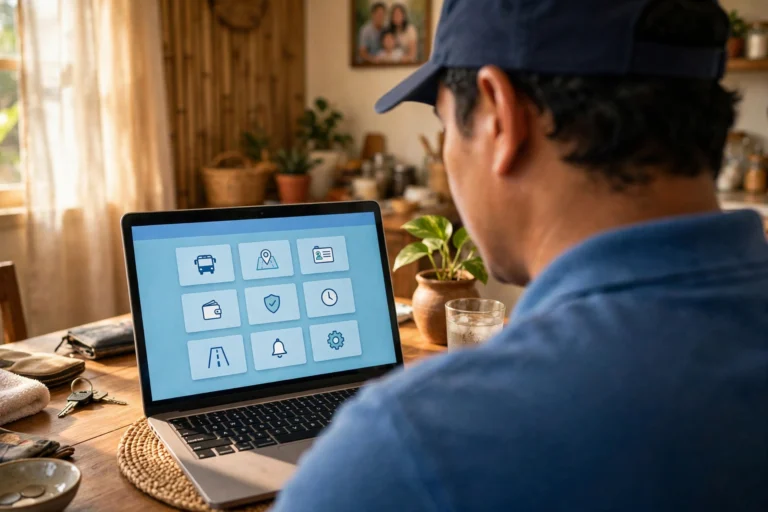
The LTMS Portal is the main official way to verify a license online. LTMS is the Land Transportation Management System, the LTO’s online system for licensing, renewal, and violations — and for your own license, this check gives the fullest picture, free. If you have never used the portal, see our LTMS portal guide for the registration walkthrough — the steps below assume you already have an account.
- Go to the LTMS Portal and log in. Use only the official address — avoid lookalike sites and paid “assistance” pages pretending to be the LTO.
- From your dashboard, open your licensing section and find your license record: number, expiry date, type, and codes.
- Open the Digital ID section if available. This shows your electronic driver’s license.
- Compare every detail with the physical card — name, birthdate, number, expiry date, and codes. Everything should match exactly.
- Open the violations section and check for recorded violations, unsettled fines, demerit points, or any alarm.
- If anything does not match, or a transaction is blocked, screenshot the page and bring it — with your card and receipt — to your nearest LTO office.
One important limit: the portal shows only your own record after you log in. It is not a public lookup for strangers’ license numbers — a license record is personal information, protected behind the holder’s login. To verify someone else’s license, the holder has to take part (see the employer section below).
The QR code on your license card and digital ID
Newer Philippine license cards carry security features older cards do not, and the digital license inside the LTMS portal adds another layer. Open the Digital ID section of your LTMS account and you will see a QR code linked to your electronic license. Officers can scan it to confirm the license is valid and matches the system record — useful at a checkpoint even if you left the plastic card at home.
On the physical card, look for features that are hard to copy: laser-engraved details, a holographic LTO seal over the photo, guilloche patterns, microprinted text, and a barcode. Newer cards reportedly carry around 32 security features; older cards have fewer and are easier to alter — one reason employers now prefer a newer card or a system cross-check. Never share a photo of your license’s QR code or barcode publicly.
Other ways to verify a license
The LTMS portal is the most complete check, but it is not the only one.
eGovPH app. The government’s eGovPH app is another access point: under National Government Agencies, you can find LTO services, including your digital driver’s license. The LTMS portal remains the primary place for full transaction history, demerit points, and violation details.
In person at an LTO office. If the online check fails, or you need an official confirmation, visit a licensing center, district office, or extension office. Bring the original card, a valid ID, and the official receipt from your last transaction if you still have it. Staff can check the record directly and tell you whether the license is valid, whether an alarm exists, and what to do next.
SMS to 2600 — use with caution. For years, drivers could text LTO LICENSE plus the license number to 2600 and receive the validity period and any apprehensions, at ₱2.50 per message. But the LTO has advised that 2600 SMS verification is no longer connected to the new LTMS system — it was linked to the older LTO IT system. Treat any SMS reply as unreliable: confirm it on the portal anyway, and if it says nothing, do not assume your license is fake — check the portal or visit an office instead.

How to spot a fake license
A fake license is usually made by a fixer — someone outside the LTO who charges a fee for a card that was never issued through the official process. Under Republic Act No. 4136, using a fake license can lead to a fine of up to ₱3,000, six months’ imprisonment, and a one-year suspension. These physical checks, shared by the MMDA’s traffic enforcement officers, can help you tell a genuine card from a fake one. No single test is proof on its own — use them together and confirm with the portal.
| Physical check | Genuine card | Fake card |
|---|---|---|
| Light test | Flashlight from behind turns violet or blue | Light turns yellow or white |
| Hologram | Eagle hologram clear under UV light | Hologram missing, flat, or blurry |
| Embossing | Expiry date and signature raised | Characters cut into the card |
| Peel test | Fused and laminated; corner does not peel | Layers separate or a corner lifts |
| Print quality | Photo and text sharp even when magnified | Blurry photo, smudged text, misaligned fonts |
| Thickness | Same thickness and stiffness as other genuine cards | Noticeably lighter, thinner, or more flexible |
The strongest check is still the system check: a genuine license has a record in the LTO system, and a fake one does not. Officers can also match the license number against the official receipt number — if the two do not match the database, the card is almost certainly fake, even if it passes every physical test. The simplest protection costs nothing: only transact with the LTO itself. Any “online assistance” page offering a license without exams or an office visit is not official, and its card will not be in the system.
How employers, rental companies, and enforcers verify a license
If you are hiring a driver or renting out a vehicle, you cannot log into the LTMS portal and look up someone else’s record — the portal only shows the holder’s own license. So the holder has to be involved. Ask the applicant to show the license in one of two ways, with the holder present. First, the original physical card, inspected using the checks above. Second, and more reliable, ask the holder to open the digital driver’s license in their own LTMS account or eGovPH app on their own phone, so you can see the live record and QR code.
Do not accept a screenshot or a photo of a screen as final proof: screenshots can be edited. For high-stakes checks, ask the holder to get a certification from an LTO office. Only ask for the details you need, handle them privately, and never share a photo of someone else’s license without consent.
Enforcers have a further option the public does not: a traffic officer can check a license number against the LTO database directly, or confirm it with a call to the LTO. That is why a fake card rarely survives a real apprehension — the officer relies on whether the number exists in the system, not on how the card looks.
What to do if your license shows as invalid or not found
Finding that your license does not appear in the system is stressful — but it does not always mean the license is fake. Several common, fixable causes exist.
| Problem | Likely cause | What to do |
|---|---|---|
| Record not in LTMS | Old record never migrated, mismatched details, duplicate accounts | Check your entries, then visit an LTO office with your card and receipt |
| Portal shows expired | License past its expiry date | Renew promptly; expired over two years means retaking the exams — see our LTO driver’s license renewal requirements |
| Violation or alarm | Unsettled apprehension or unpaid fine | Settle the case at the apprehending office or through the portal, then re-check |
| Number rejected | Number typed wrong, or record under another account | Re-enter exactly as printed (usually N01-23-456789); if it still fails, ask the LTO office to confirm the number |
| Card exists, no record | Card from a fixer or unofficial channel | Do not drive with it. Ask an LTO office to verify; if it is not in the system, apply through the proper process |
Still waiting for your plastic card after a renewal? That is different from a missing record: the license may be valid in the system while the card is still being printed. See our guide to the LTO driver’s license card release for what to expect.
LTO driver’s license verification vs plate and MV file checks
License verification and plate verification are two different checks. A license check confirms a person — whether a driver is licensed, what vehicles they may drive, and whether their record is clean. A plate or MV file check confirms a vehicle — whether a plate or MV file number is registered and current. A valid license tells you nothing about a vehicle’s registration, just as a registered vehicle tells you nothing about the person driving it.
The tools differ too. For a plate or MV file number, our LTO tracker page explains the vehicle tracking options, including what to do when a plate has not been released yet. The old vehicle SMS format (LTO VEHICLE plus the plate number, sent to 2600) is in the same uncertain position as the license SMS — the online plate verification tool has been reported as down for security upgrades. To verify both a driver and a vehicle, run the two checks separately: the license through the LTMS portal, the vehicle through the tracker page or an LTO office.
Frequently asked questions about LTO driver’s license verification
What is LTO driver’s license verification?
LTO driver’s license verification is the process of confirming that a Philippine driver’s license is genuine, valid, and in good standing with the Land Transportation Office. It can mean checking your own license on the LTMS portal, scanning the QR code on your digital license, inspecting the card’s security features, or having an LTO office confirm the record. The strongest form is a system check: the license number must exist in the LTO’s records and match the holder.
Can I verify someone else’s license online?
Not through a public lookup. The LTMS portal only shows the record of the person logged in, so there is no official page where you can type in another person’s license number. To verify someone else’s license, ask the holder to show the original card and open the digital license in their own LTMS account or eGovPH app while you are present, or to obtain a certification from an LTO office.
Is the 2600 SMS verification still working?
It should not be relied on. The LTO has advised that the 2600 SMS service is no longer connected to the new LTMS system, so a reply — or no reply — does not prove the current status of a license. Use the LTMS portal or an LTO office instead.
How can I tell if my license is fake?
Start with the physical checks: shine a phone flashlight from behind the card (a genuine card turns the light violet or blue), look for the eagle hologram under UV light, feel for raised embossing, and try the peel test on a corner. Then confirm with the system: log into the LTMS portal and check that your license number and details appear in your record. A card that is not in the system is not a genuine LTO license, no matter how good it looks.
What should I do if my license is not found in the LTMS portal?
Check that the name, birthdate, and license number you used match your card exactly, and that you are logged into the correct LTMS account. Older records, mismatched details, and duplicate accounts are common causes. If the record still does not appear, visit an LTO office with your card and official receipt and ask for a manual lookup.
Does a valid license prove the vehicle I am driving is registered?
No. A license check only confirms the driver. Vehicle registration is a separate record, checked by plate number or MV file number — use the plate or MV file check on our LTO tracker page or ask at an LTO office.
LTO driver’s license verification is a habit worth building into every renewal, hire, and vehicle rental: check the card, then check the system. The LTMS portal gives you the fullest picture of your own record for free, the QR code on your digital license lets officers confirm it in seconds, and the physical checks above help you spot a card the LTO never issued. When a check raises a doubt, do not drive on it — take the card and your official receipt to an LTO office and let the system settle the question.